I discovered a program called Photomatix which I used to merge the photos. There are no rules for the settings in tone mapping, you just play around with them until you get the look you want. http://www.hdrsoft.com/
What I learnt...
Use a tripod because when the photos merge together they might be slightly off if you have moved when taking the photos. You can sort of see it in my image because I didn't use my tripod.
There is an option for making your images more photo-like or painterly. I made mine to look more painted.
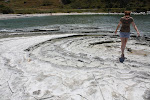
So here is my first attempt...It is also my first attempt at adding a photo on here so I hope it works...

Here are the 3 AEB shots that make up the photo:



No comments:
Post a Comment